The best USB microphones under $100 range from compact desk mics to complete boom-arm kits, so the right choice depends on your space and recording style. Compare connection options, controls, included accessories, and whether you need one voice pickup pattern or several before choosing.
Quick Top Products
Samson Q2U Dynamic Microphone

- Offers USB-C and XLR connections for computer or compatible audio gear.
- Includes a desktop tripod stand and extension for tabletop placement.
- Comes with both USB-C and XLR cables.
Best For: People who want a handheld dynamic mic for computer recording now and XLR connections for a mixer later.

Samson Meteor Mic USB
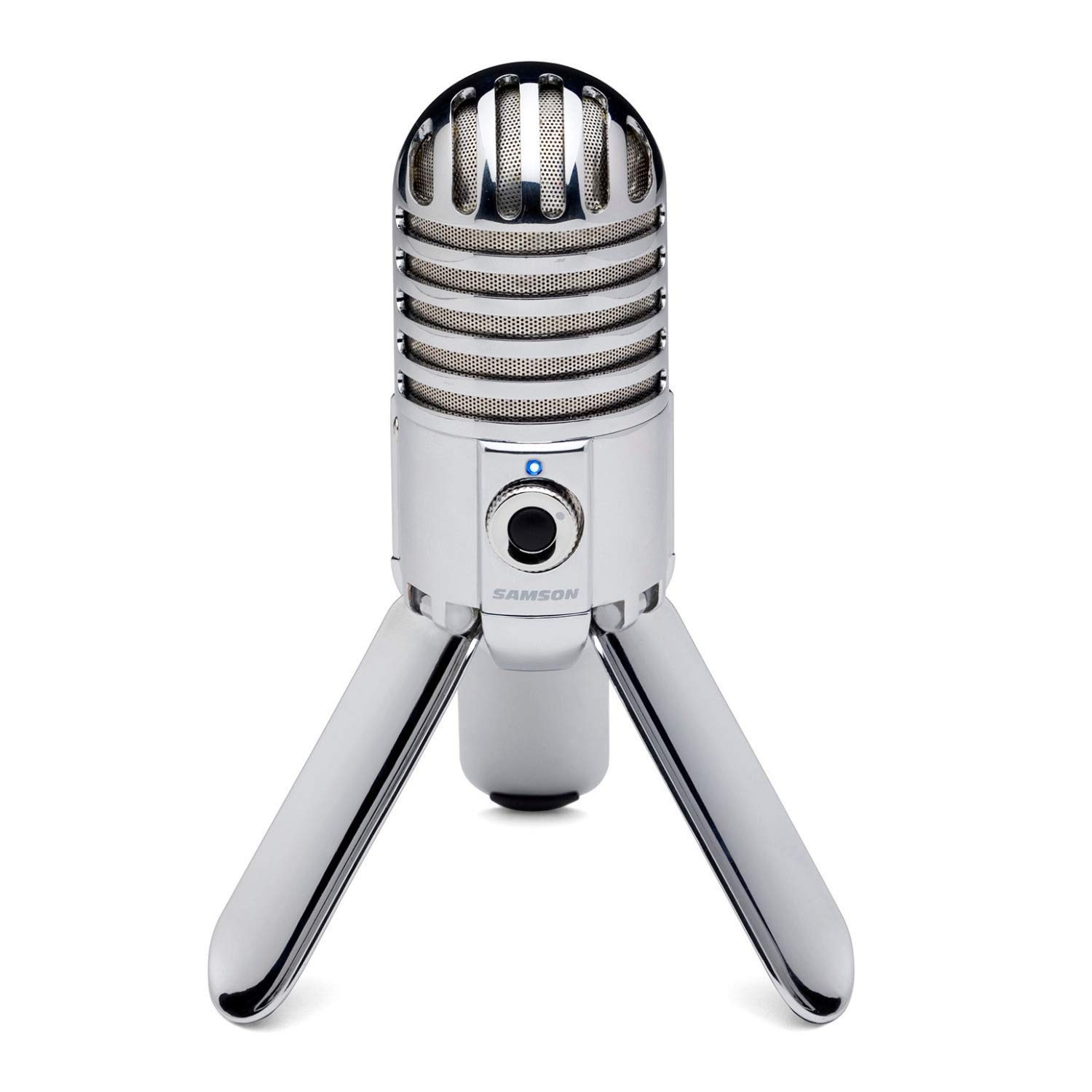
- Folding legs support tabletop placement and easier transport.
- The cardioid pattern captures audio in front of the microphone.
- Includes a headphone output with zero-latency monitoring.
Best For: A desk-based speaker who wants a foldable USB microphone with direct headphone monitoring.
FIFINE K683A USB Desktop Mic

- Provides gain adjustment, instant mute, and headphone monitoring.
- Includes a detachable pop filter and foldable tripod stand.
- Supports USB-A or USB-C host connections and works with Mac, Windows, and PS4.
Best For: A home streamer or podcaster who wants a desktop mic with gain, mute, and headphone monitoring controls.
FIFINE T683 USB Microphone Kit
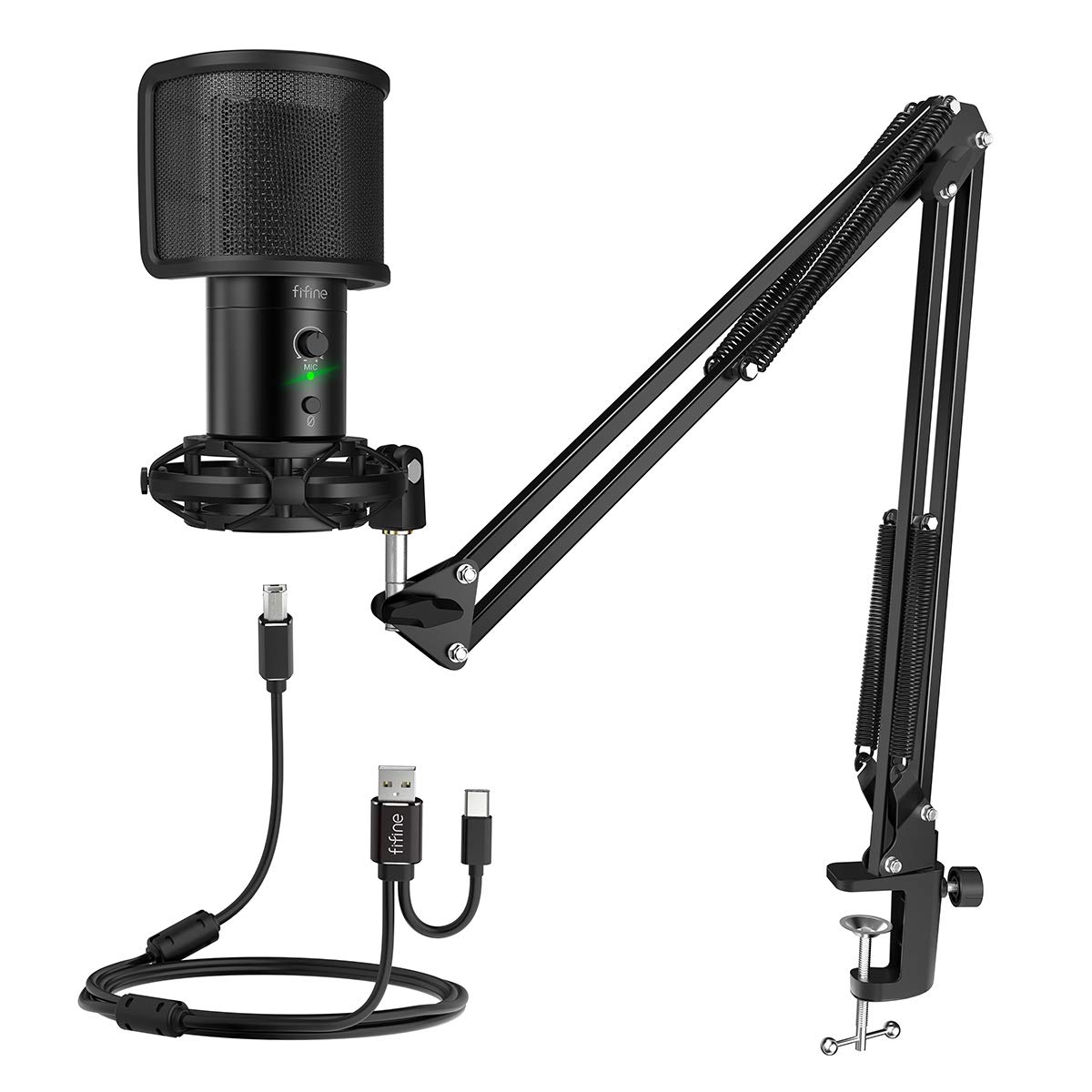
- Includes a boom arm, table mount, shock mount, and pop filter.
- Has gain control, mute, and a headphone jack for real-time monitoring.
- The clamp fits desks up to 2 inches thick.
Best For: Someone building a home recording spot who needs an arm, shock mount, and real-time monitoring in the package.
JLab Talk USB Microphone
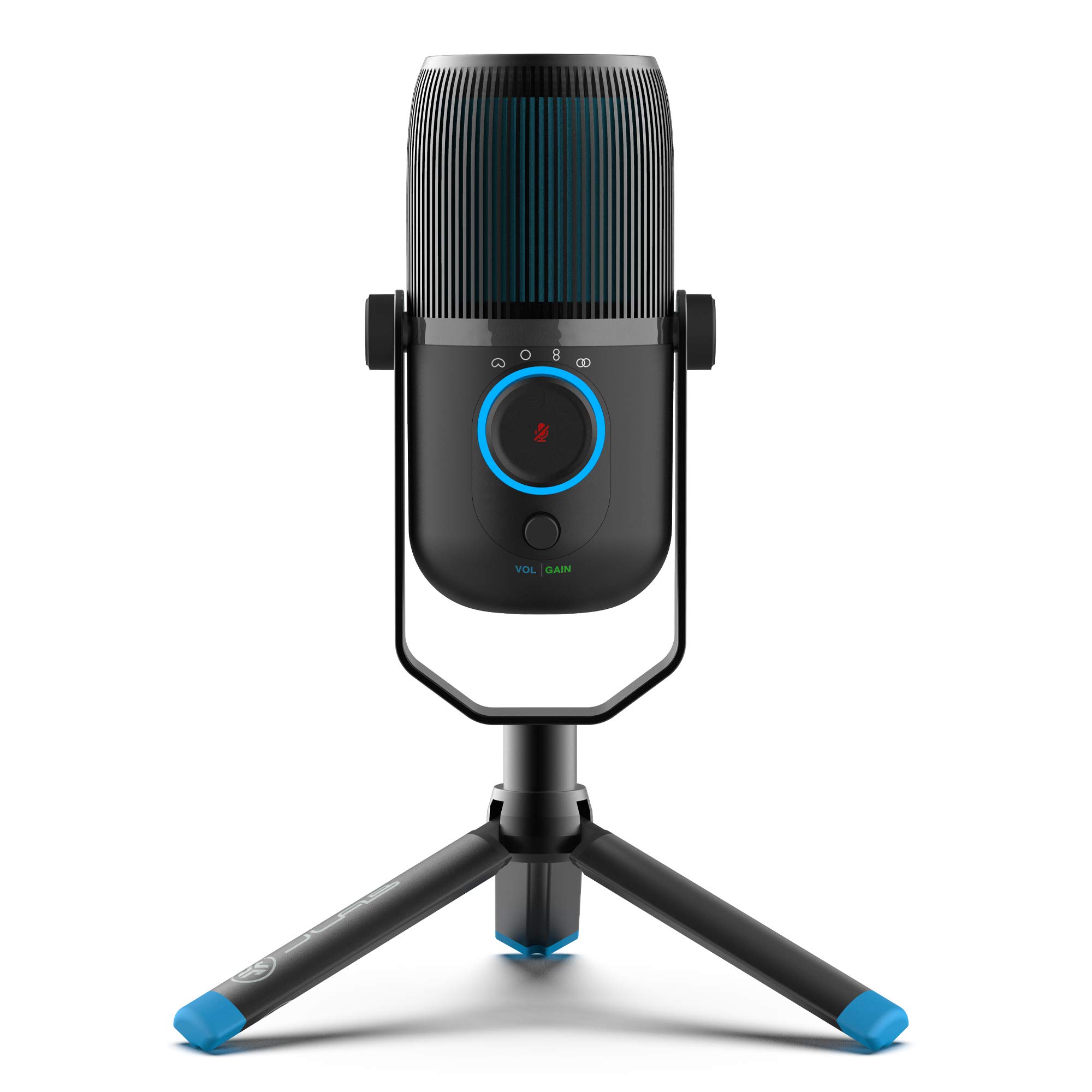
- Offers cardioid, omnidirectional, stereo, and bidirectional modes.
- Includes gain and volume controls plus an AUX input for monitoring.
- Connects through USB/USB-C and works without drivers.
Best For: A podcaster or meeting host who needs selectable pickup patterns for solo and group recording.
FIFINE K658 USB Gaming Microphone
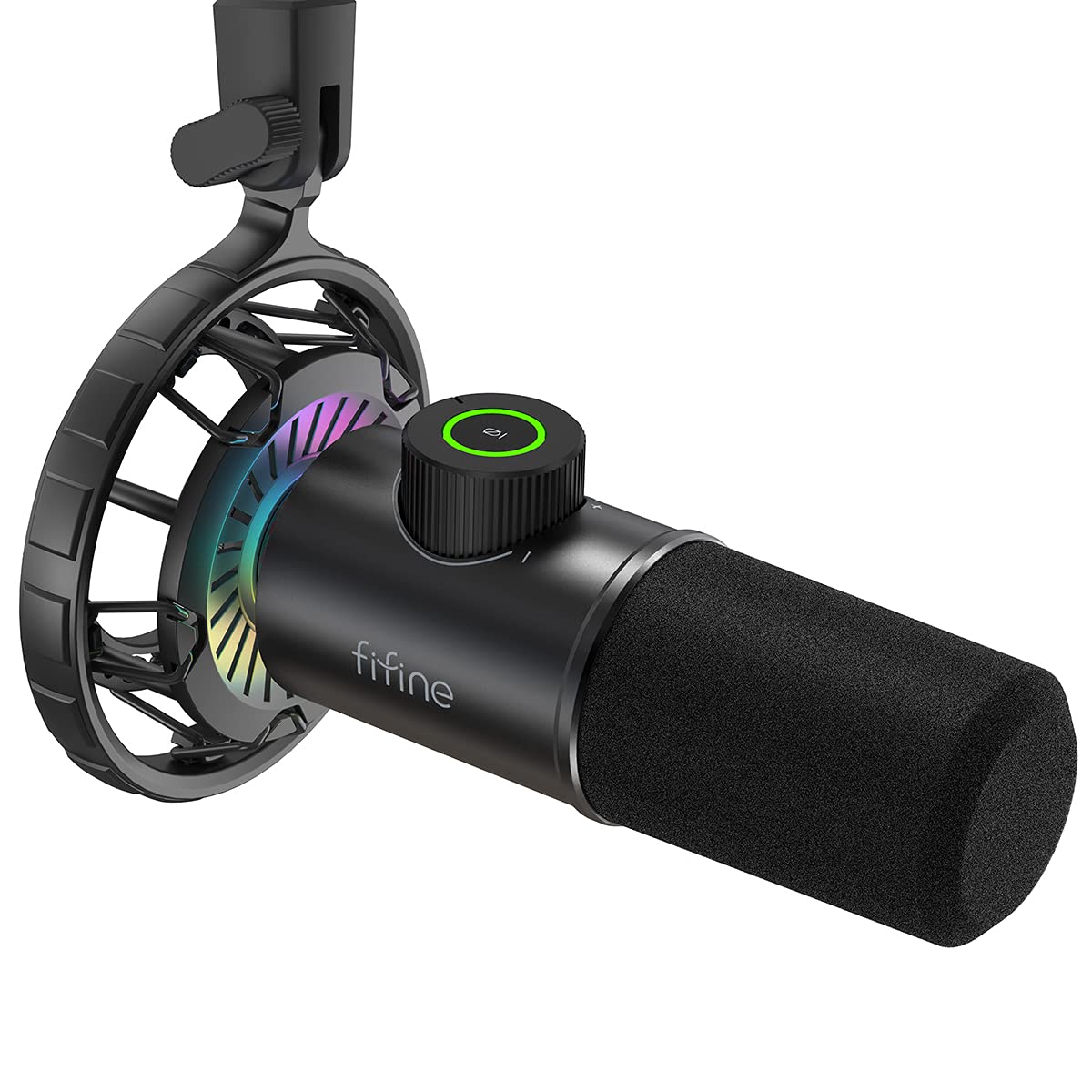
- Dynamic cardioid pickup is intended to minimize ambient noise.
- Tap-to-mute, a gain knob, and headphone monitoring are built in.
- Includes a shock mount and 8.2-foot USB cable, but not a mic stand.
Best For: A gamer or streamer who records close to the microphone and wants a dynamic USB design with quick mute.
USB and XLR Flexibility
Samson Q2U Dynamic USB-C/XLR Microphone
The Samson Q2U pairs a dynamic handheld microphone with both USB-C and XLR connections. Plug it directly into a computer with a USB-C interface, or use the XLR connection with compatible audio gear.
Its pack includes a desktop tripod stand, extension, clip, windscreen, and both USB-C and XLR cables, so the basic recording setup is covered. The handheld form suits spoken-word recording when you want to position the mic yourself.
Check that your computer has the right USB-C interface and consider where you will place the tripod on your desk.
Best For: People who want a handheld dynamic mic for computer recording now and XLR connections for a mixer later.
| Pros | Cons |
|---|---|
|
|
Choose the Q2U if you prefer a handheld dynamic mic and want both USB-C and XLR connections in one package. Its supplied tripod and cables make tabletop recording straightforward.
Check your computer’s ports before buying, and decide whether a desktop tripod suits your speaking position better than a boom arm.
Compact Desk Recording
Samson Meteor Mic USB Condenser Podcasting Podcast Recording Desktop Microphone
The Samson Meteor Mic is a desktop USB condenser microphone with fold-back legs that help with positioning and transport. Its cardioid pickup pattern focuses on sound in front of the mic, while the 1-inch capsule and 20Hz–20kHz frequency response suit voice or instrument recording.
A stereo headphone output with level control provides zero-latency monitoring. It also supports 16-bit recording at 44.1 or 48kHz.
This is a compact tabletop option rather than an arm-mounted kit, so consider desk placement and whether you want a separate stand for your preferred mic position.
Best For: A desk-based speaker who wants a foldable USB microphone with direct headphone monitoring.
| Pros | Cons |
|---|---|
|
|
The Meteor Mic fits a desk-centered setup where foldable legs and headphone monitoring matter. Its cardioid pattern is suited to a single speaker or instrument in front of it.
Check cable compatibility and whether the tabletop height works for your recording posture; the product details do not identify an included USB-C adapter.
Desktop Controls and Monitoring
FIFINE USB Desktop PC Microphone with Pop Filter for Computer and Mac, Studio Condenser Mic with Gain Knob Mute Button Headphone Jack for Gaming Streaming Recording YouTube, Extra USB-C Plug-K683A
The FIFINE K683A is a USB desktop condenser microphone with a cardioid pattern and a foldable tripod stand. Its gain knob, instant mute button, and rear 3.5mm headphone jack put key recording controls on the mic itself.
The included detachable pop filter helps reduce plosive sounds, while the package also contains a USB-B cable that supports USB-A or USB-C connections and a screw adapter. It is compatible with PS4, Mac, and Windows PCs, but not Xbox.
Check that a desk stand gives you the speaking height and angle you need.
Best For: A home streamer or podcaster who wants a desktop mic with gain, mute, and headphone monitoring controls.
| Pros | Cons |
|---|---|
|
|
Pick the K683A if you want physical controls and monitoring on a desktop mic without arranging a boom arm. The pop filter and tripod are included, and its USB-B cable supports USB-A or USB-C hosts.
It does not work with Xbox, and a tabletop stand may be less convenient than an arm if desk space or mic position is a concern.
Boom Arm Starter Kit
FIFINE USB Gaming Streaming Microphone Kit for PC Computer, Condenser Mic Set with Arm Stand Mute Button & Gain, Mic Studio Bundle for Podcast Recording Twitch Discord YouTube Zoom, USB C & A -T683
The FIFINE T683 combines a USB condenser mic with a boom arm, table mount, shock mount, and pop filter. Its cardioid pickup pattern focuses on voice, and the onboard gain control, mute button, and headphone jack make adjustments and monitoring accessible during a recording session.
The kit supports plug-and-play use with Mac, PS4, and Windows PCs, and the arm clamp fits a desk or table up to 2 inches thick. Xbox is not supported.
Check your desk edge and available arm clearance before buying, since this setup depends on a suitable clamping surface.
Best For: Someone building a home recording spot who needs an arm, shock mount, and real-time monitoring in the package.
| Pros | Cons |
|---|---|
|
|
Choose the T683 if you want an arm-mounted home setup with monitoring and accessories in one package. Its desk clamp is a key fit check: measure the desk edge and confirm there is room to position the arm.
The USB connection simplifies setup for supported computers and PS4, but Xbox users need another option.
Four Pickup Modes
JLab Talk USB Microphone, USB-C Output, Cardioid, Omnidirectional, Stereo or Bidirectional, 96k Sample Rate, 20Hz, 20kHz Frequency Response, Volume, Gain Control, Quick Mute, Plug & Play
The JLab Talk is a desktop USB microphone with four selectable directional modes: cardioid, omnidirectional, stereo, and bidirectional. That range supports solo voice, group conversation, and other recording arrangements without relying on a single pickup pattern.
It also offers gain and volume controls, a 3.5mm AUX input for zero-latency listening, and plug-and-play USB/USB-C connectivity. The cable is 6.5 feet long, and a standard 5/8-inch input supports swivel mounting.
Check the intended recording layout and whether you need to add a stand or mount for your desk.
Best For: A podcaster or meeting host who needs selectable pickup patterns for solo and group recording.
| Pros | Cons |
|---|---|
|
|
The Talk is a strong fit when recording format changes between solo voice and multiple speakers, thanks to its four pickup modes. It also offers onboard gain and volume controls and a monitoring input.
Check what stand or mount you already have, since the available details mention mounting compatibility but do not establish that a stand is included.
Close-Position Dynamic Mic
FIFINE USB Gaming Microphone, RGB Dynamic Mic with Tap-to-Mute & Headphone Jack, Plug & Play Cardioid Mic for PC PS4/5, Streaming Podcast Twitch YouTube Discord - for Gamers and Youtubers - K658
The FIFINE K658 is a USB dynamic microphone with a cardioid pattern, tap-to-mute control, gain knob, and 3.5mm headphone jack for real-time monitoring. Its package includes a shock mount, windscreen, adapter, and an 8.2-foot USB cable, but no mic stand.
The product recommends a recording distance of 2 to 4 inches, so it is best suited to close-position use rather than speaking from farther across a desk. It works with Windows, Mac OS, and PlayStation consoles, while Xbox is excluded.
Check your mounting plan and comfort with close mic placement.
Best For: A gamer or streamer who records close to the microphone and wants a dynamic USB design with quick mute.
| Pros | Cons |
|---|---|
|
|
Choose the K658 if you want a dynamic USB mic with direct controls and expect to speak close to it. The 2-to-4-inch suggested range is a practical fit consideration, especially for gaming where desk space and mic placement matter.
You will need to provide a stand, and Xbox users should choose a different option.
How to Choose Usb Microphones Under 100
How We Picked USB Microphones Under $100
We prioritized products priced below $100 in the supplied records that offer direct USB computer connection and clear use cases for recording, podcasting, streaming, gaming, or calls. The selection spans compact desktop microphones, boom-arm kits, dynamic voice mics, and wireless options.
We also considered whether each product provides useful controls or monitoring, and whether its included accessories make setup easier.
This group includes microphones with different pickup patterns and connection choices. Some focus on one speaker with a cardioid pattern, while the JLab Talk models offer four modes for changing recording arrangements.
USB/XLR models suit people who may add an audio interface or mixer later, while a wireless model can simplify desk placement.
Comparing USB Microphones Under $100
The biggest practical difference is the recording setup. Desktop options such as the Samson Meteor and FIFINE K683A keep the microphone on a tabletop stand, while the T683 and MAONO PD200XS include boom arms to position the mic closer to the speaker.
A boom arm needs a compatible desk edge and extra clearance; a tripod or foldable desktop base is simpler when the mic can sit near the keyboard.
Connection options shape future flexibility. USB-only models are straightforward for a computer, while the Samson Q2U and MAONO PD200XS add XLR for compatible mixers or interfaces.
The Samson Q2U includes an XLR cable, but the PD200XS does not. For wireless placement, the MAONO DM40 supports wired and wireless operation; check the device compatibility and receiver needs for your intended setup.
Pickup patterns and microphone type matter for the room. Cardioid options focus on sound in front of the mic and suit a solo speaker, while the JLab Talk and Talk Pro add omnidirectional, stereo, and bidirectional modes for group or alternate recording layouts.
The dynamic K658 is intended for close placement, with a suggested 2-to-4-inch distance. Compare that with the DGM20's USB gaming focus and the Meteor's foldable desktop design.
| Product | Standout features | Best for |
|---|---|---|
| Samson Q2U Dynamic MicrophoneCheck Price |
| People who want a handheld dynamic mic for computer recording now and XLR connections for a mixer later. |
| Samson Meteor Mic USBCheck Price |
| A desk-based speaker who wants a foldable USB microphone with direct headphone monitoring. |
| FIFINE K683A USB Desktop MicCheck Price |
| A home streamer or podcaster who wants a desktop mic with gain, mute, and headphone monitoring controls. |
| FIFINE T683 USB Microphone KitCheck Price |
| Someone building a home recording spot who needs an arm, shock mount, and real-time monitoring in the package. |
| JLab Talk USB MicrophoneCheck Price |
| A podcaster or meeting host who needs selectable pickup patterns for solo and group recording. |
| FIFINE K658 USB Gaming MicrophoneCheck Price |
| A gamer or streamer who records close to the microphone and wants a dynamic USB design with quick mute. |
Controls, Monitoring, and Software
If you adjust levels while recording, look for a physical gain knob and mute control. The K683A, PD200XS, Talk models, K658, and DGM20 provide direct controls, and several include a headphone jack for monitoring.
Monitoring helps you hear your voice while recording, but check whether you need a particular cable or connection for your headphones.
Software may unlock additional sound adjustments, but support can depend on the connection or operating system. The PD200XS enables MAONO Link sound controls in USB mode, and its XLR cable is not included.
The DGM20's smart noise-cancellation software is Windows-only. The DM40 offers software features including EQ, scene presets, and AI voice changing.
Consider whether you want to manage settings in software or prefer controls on the microphone itself.
Choosing a Mic for Streaming, Podcasting, or Calls
For a streaming station, a boom-arm kit can move the mic away from the keyboard and free some desk space, but measure the clamp area and verify that the arm can clear nearby displays. The T683 clamp supports desks up to 2 inches thick, and the K658 package does not include a stand.
A desktop mic such as the K683A or Meteor avoids a clamp but needs a comfortable tabletop position.
For podcast conversations or small group recordings, pattern choices can matter more than lighting or gamer-focused controls. The JLab models offer multiple modes, while a cardioid mic is aimed at sound from the front.
For meetings and everyday calls, check that the microphone connects to your computer's available USB port and that its controls are easy to reach. Avoid assuming that console support is universal: the K683A excludes Xbox, and the K658 is also incompatible with Xbox.
A wireless USB microphone can help when cable routing limits where you can sit, but check wireless range and device compatibility before purchase. For a simple computer setup, plug-and-play USB microphones reduce setup steps; for future mixer use, compare the included XLR cable and whether you need to buy one separately.
Who Should Buy Which USB Microphone?
Choose the Samson Q2U if you want a handheld dynamic microphone with both USB-C and XLR cables in the package. Pick the Meteor Mic for a foldable desktop format with headphone monitoring, or the K683A when you want desktop controls and a pop filter.
The T683 and PD200XS suit buyers who want boom-arm positioning, with different USB/XLR and software details to weigh. The JLab Talk models fit people who want several pickup patterns, while the DM40 is aimed at wireless flexibility.
For a close-position gaming mic, consider the K658; for noise cancellation and desk streaming controls, consider the DGM20. Confirm the included stand, port, and software compatibility against your workspace before ordering.